

Best for personal projects on one machine. It runs on an embedded database, so it cannot scale, cannot move to Enterprise, and moving off it means starting over.Unless you’re happy with that, use Self hosting instead.
Install
Run this anywhere:Install Activepieces with an AI assistant
Requirements
- Docker, and nothing else.
~/.activepieces on your machine.
Open Activepieces
Go to http://localhost:8080, orhttp://<your-server-ip>:<your-port> if you installed on a remote server or changed the port.
The first account you create becomes the administrator. There is no default username or password.
Make webhooks reachable (optional)
Skip this if your machine already has a public URL. Webhooks and app triggers need an address that third parties can reach. On a personal machine, expose it with a tunnel such as ngrok:AP_FRONTEND_URL to the ngrok URL and run the container again.
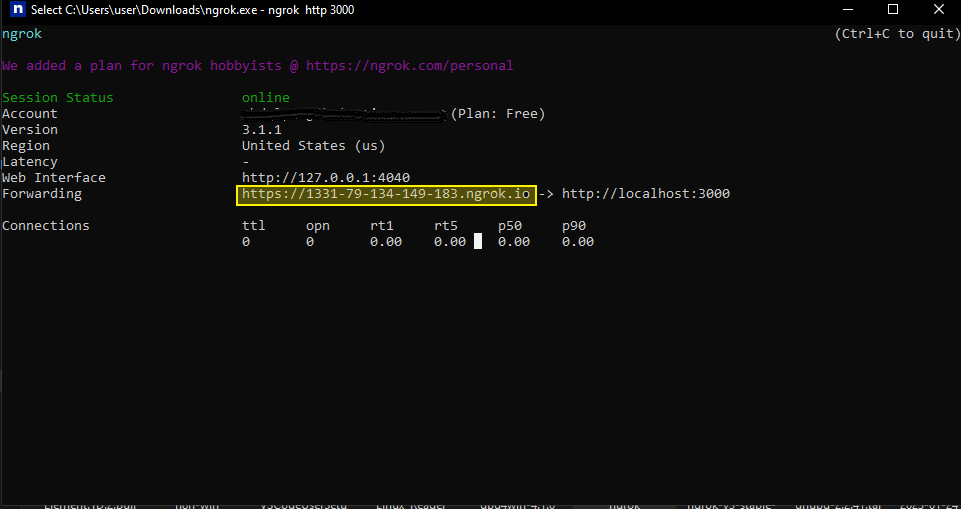
ngrok is fine for testing but not suitable for production. In production, point
AP_FRONTEND_URL at your real domain.Upgrade
Back up first, since the container is replaced:~/.activepieces, not in the container.
Uninstall
Remove the container and keep your data:Good to know
It runs on PGLite (embedded PostgreSQL) and an in-memory queue, which supports a single instance on a single machine. For production or multi-instance setups, use Self hosting with PostgreSQL and Redis.